Review Comments (0) Screenshots (3) Questions & Answers (0) Votes (3) Awards (1) Wiki  
(3)
2.1
www.koyotesoft.com
Shareware
24 USD
858 people
Download Easy Audio Cutter

450.36 KBDownloaded 10503 times

This software was checked for viruses and was found to contain no viruses.
Click here to see antivirus report.
 
Video tutorial for Easy Audio Cutter 1.8
Frame
This video tutorial has been acquired from Downloadtube.com

Review

This review applies to version 1.8. The latest version of this software will soon be reviewed by our informers.

Certainly, more than once you wanted to cut a part of a song, chorus, or any other audio clip from a too long track, and you have not found how to do it. If that idea still remains in your head, it is time for you to try Easy MP3 Cutter, a simple program designed for this purpose and to meet all needs in the simplest way. Easy MP3 Cutter is based on a clear and intuitive interface to divide MP3 and WAV files in the way you want, whether parts of the track or specific intervals of the same length.

Although seemingly Easy MP3 OGG WMA Cutter is only a simple program to split audio files, it is really much more , because it is not only limited to fragment a file into smaller pieces. Easy MP3 OGG WMA Cutter also comes with tools to concatenate these fragments and allow you to develop your own files in any of these formats: MP3, OGG, WMA and WAV. Moreover, you can extract the audio from AVI video files.

Easy MP3 OGG WMA Cutter also allows you to convert between these audio formats either wholly or partly, and therefore you can make your own original creations and sounds mixing, from fragments of all kinds of audio.

The program also incorporates a small player allowing you to know accurately where to cut. In addition, it supports ID3v1 and ID3v2 tags, so you can keep the the original tags information from the fragments created.
  • Simple but complete audio processor
  • Multilingual
  • Starts a separate WMA runtime download from a non-specified 3rd party site.
  • No drag-n-drop support
  • There is a strange behavior at the website and when you launch the program
  • Read Agreement CAREFULLY

Reviewer rating:

Reviewed: 3 years ago

Report a wrong version Report a wrong program title Suggest a correction

Screenshots

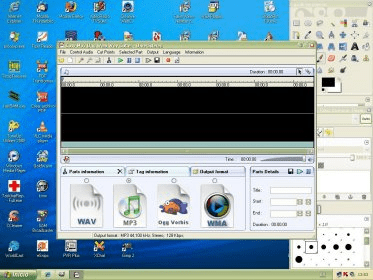
At bottom, you can select the output format At bottom, you can select... Setting the cue points in order to edit the audio file Setting the cue points in... This is the joiner! This is the joiner!

Latest comments


There are no comments, be the first one!
Add new comment

E-mail Address:

Password:

Register now »

Forgot password?

Sign in with:
Facebook Account
Download Software Informer Client
Copyright © 2012, Informer Technologies, Inc. About| Terms & Privacy| FAQ| Feedback & Support| For Developers